

Theme and settings from the terminal
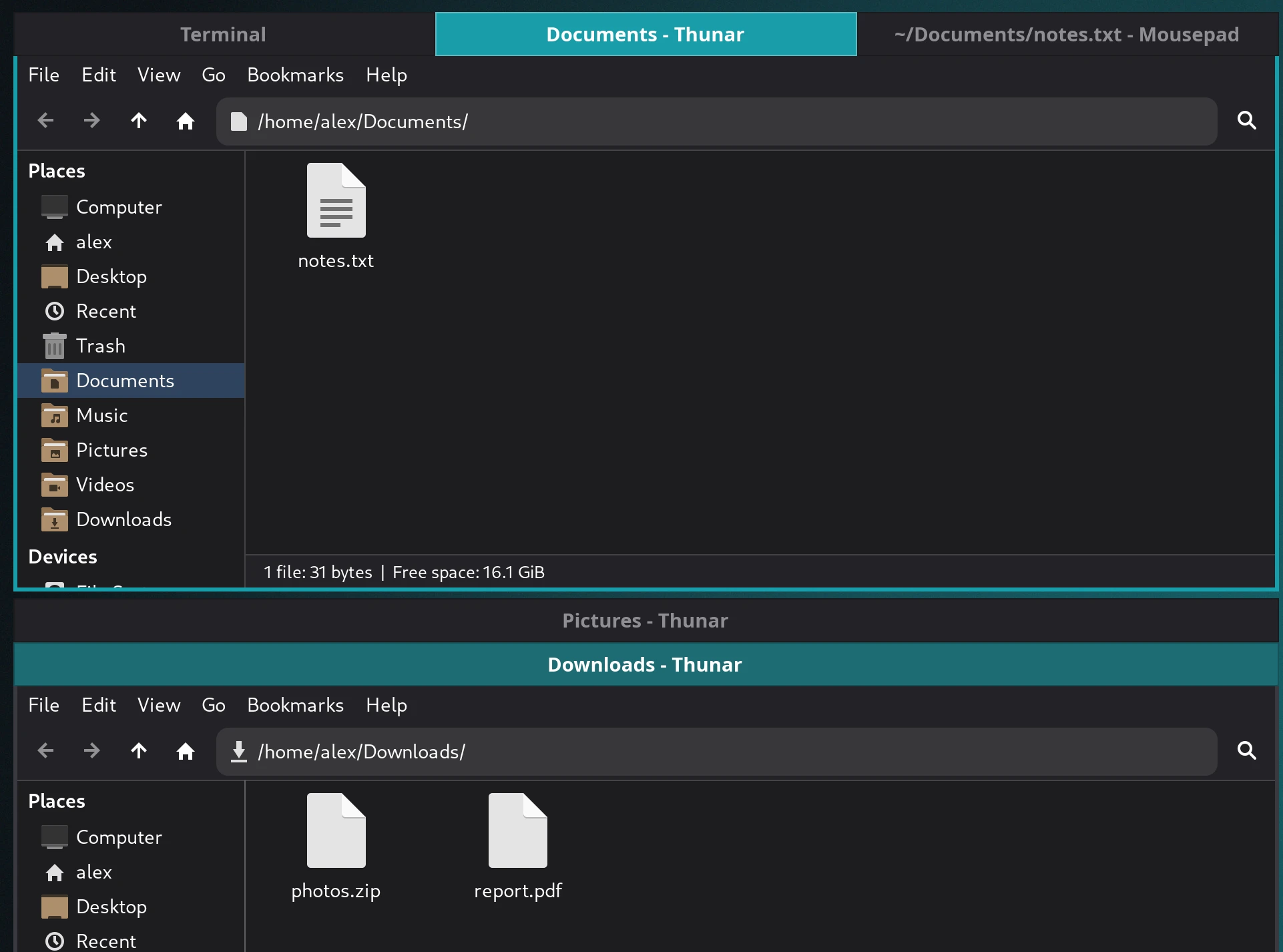
Sets the GTK theme, the icons and the accent color from the terminal (swaydesk-theme), and writes the files Sway, the bar and the apps read from ~/.config/swaydesk/config.toml: run swaydesk-desktop-config apply after editing it by hand.
swaydesk-theme list,current,familiesandcolorsshow the installed themes, the one in use and the Papirus folder colors.swaydesk-theme setorpick(family, light or dark, color) switches the theme, with optional--accent,--foldersand--icons.swaydesk-theme iconsandcursorchange only the icon theme or the cursor size (16 to 96).swaydesk-theme accent-autoapplies the wallpaper’s nearest Papirus color;--printonly names it.accent_autois on when set to true, or when it’s absent and there’s a wallpaper file.generateandapplyalso write the bar’s config without turned-off modules, and without updates whenupdate_notifier = false.swaydesk-desktop-config keyssets up the shortcuts of the profile named inshortcuts.get,enabledandcssgive your own scripts a config value, a component’s on/off state or the accent colors.- An empty
file_managertakes the first installed of nemo, thunar, nautilus and dolphin, else thunar. - Sway’s tabs (tabbed and stacked groups) are taller, with the title centred and an outline, in three accent levels: the focused tab in the accent, the visible tab of an unfocused group in a darker shade (lighter with a light theme), and the others in grey. On plain Sway, the opt-in
50-swaydesk-theme-tool.confbrings the same look. - The files it writes start with a
Generated by sway-desktop-config: …line; a file without it is yours, and is left alone. cursor_themeinconfig.tomlpicks the cursor theme, andswaydesk-desktop-config applyapplies it at once (Sway, GTK,gsettings); without the key, the automatic one stays: Bibata on Debian and Ubuntu, Capitaine on Arch.
Without editing by hand: the Desktop, Region, Power and lock and Default apps panels of Settings write the same config.toml keys, and keep your comments.