~/swaydesk/components/language

← All components

Keyboard layout

Keyboard layout

Keyboard layout

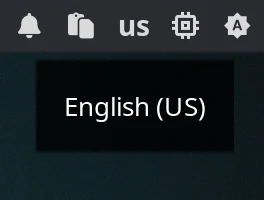
The current keyboard layout, in the bar. It hides when there’s a single layout, and counts only real keyboards.

  • Shows the active layout’s short name, like br or us; the tooltip has its full name.
  • A click switches every keyboard to the next layout.
  • Super+Space switches too (Super+Ctrl+Space in the dwm and i3 profiles).
  • Two layouts with the same short name get numbers, like us1 and us2.
  • Updates as soon as the layout changes, also after Sway reloads its config.
  • Each layout gets its own style class, so you can color it in Waybar’s CSS.

Rust · source · More in the guide · turn off: [enabled.bar] language = false

Install it alone

Only this component, without the full session. First add the Swaydesk repository, as on the page Install.

Debian 13

sudo apt install swaydesk-language

Ubuntu 26.04 · Mint 27

sudo apt install swaydesk-language

Arch Linux

sudo pacman -Syu swaydesk-language

Start it on plain Sway

It starts from its Waybar module, below.

In Waybar

In ~/.config/waybar/config.jsonc, add "custom/swaydesk-language" to modules-left, modules-center or modules-right, and paste the module from this file next to your other modules:

/usr/share/swaydesk/waybar/swaydesk-language.jsonc

The file's first lines say what each click does. The icons come from the Symbols Nerd Font, which the package brings.

Shortcuts

Click it, or Super+Space

Those of the Swaydesk profile, the default. The other profiles are in Shortcuts.