

Network
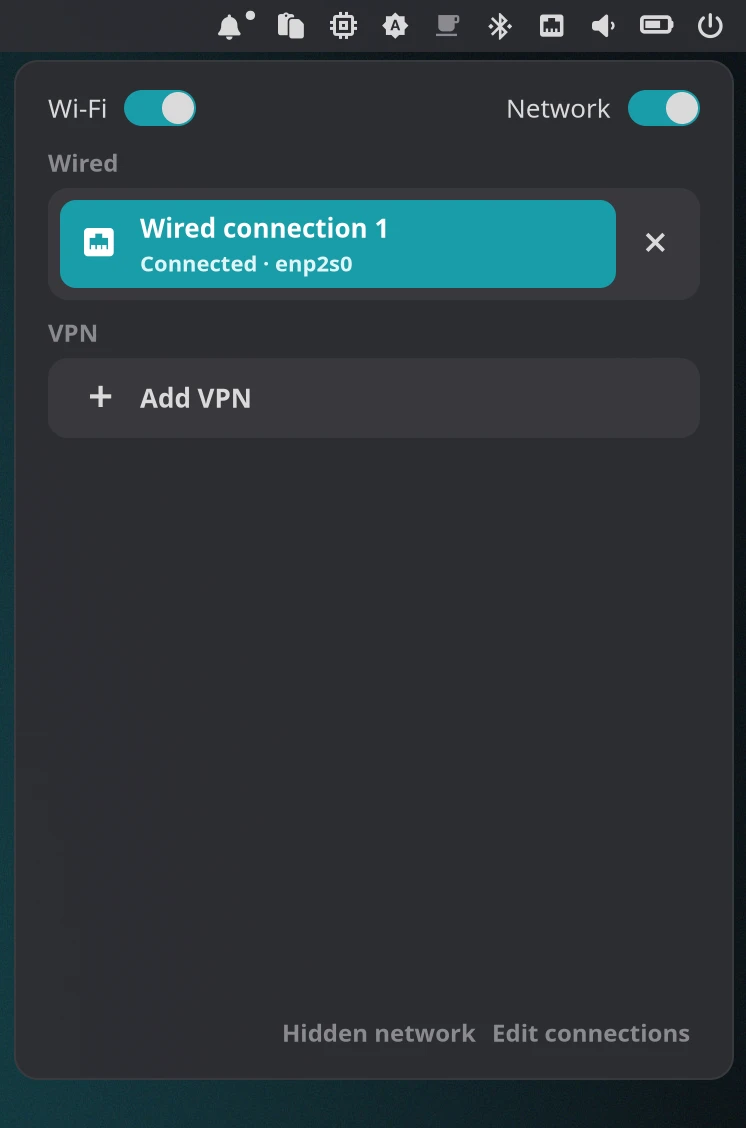
Wi-Fi, wired and VPN: turn them on and off, connect and see the details.
- Two switches turn Wi-Fi and all networking (Network) on and off.
- Wi-Fi networks list the connected one first, then saved ones, then the strongest; secured ones show a lock.
- Click a network to connect; × disconnects, or cancels a connection in progress.
- Click the connected network for its details: IP, gateway, DNS, signal, band and speed; Back or
Escreturns. - VPNs connect with a click; Add VPN adds one, of the types your installed NetworkManager VPN plugins allow.
- Hidden network, Edit connections and a middle click on the icon open the connection editor.
- With NetworkManager, the password for a new network is asked by nm-applet or the system’s agent.
- The icon shows the Wi-Fi signal, cable or VPN, and turns orange without internet access.
- Also works with iwd and systemd-networkd; VPNs need NetworkManager.
- Without a Wi-Fi card (a wired-only PC), the Wi-Fi switch is disabled and the list says No Wi-Fi adapter; a card plugged in later works without reopening the popup.