~/swaydesk/components/session-menu

← All components

Session menu

Session menu

Session menu
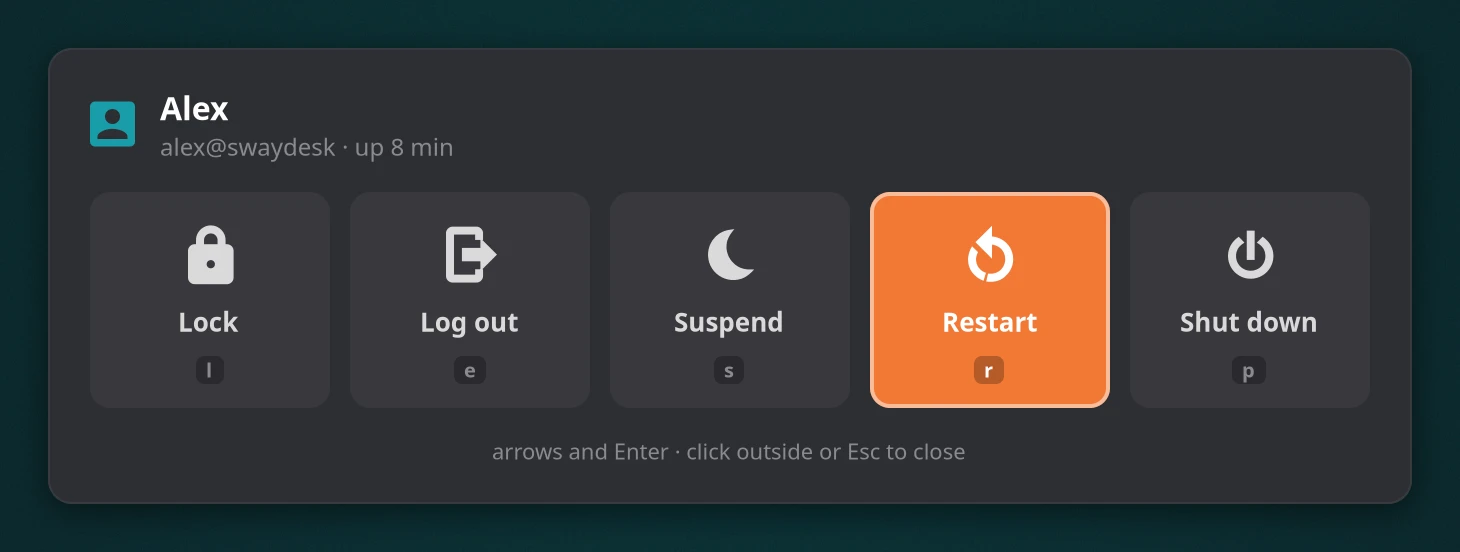
The menu, with Restart focused
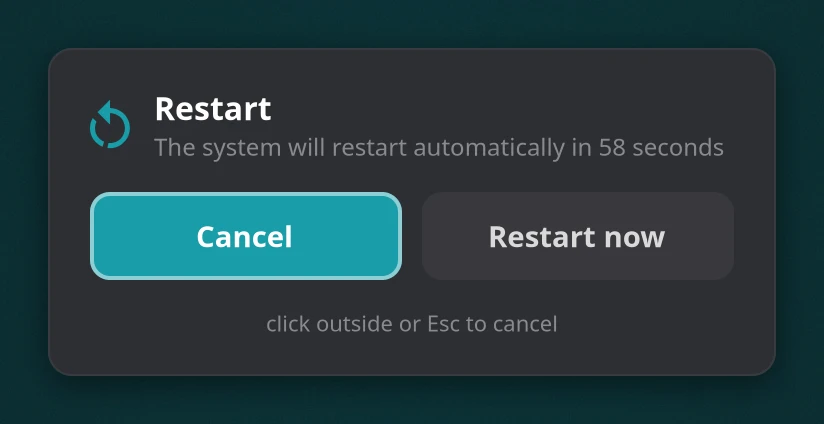
A restart asked for by an app: a 60-second countdown, with Cancel and Restart now

Lock, log out, suspend, restart and shut down. When an app asks to restart or shut down, such as the store’s Restart & Update, it asks first, with a 60-second countdown and a button to cancel.

  • Keys: l Lock, e Log out, s Suspend, r Restart, p Shut down, the English initials in every language.
  • The letter keys ignore modifiers: held with Ctrl, Alt, Super or Shift, they do nothing.
  • The arrow keys and Tab move, Enter runs the focused button; Esc or a click outside closes it.
  • The focused button takes the accent color; when focused, Restart is orange and Shut down red.
  • The top shows your name, login@host and how long the computer has been on.
  • Pressing the shortcut again closes the menu.
  • If an action fails, a notification says so.
  • When an app asks, the confirmation says whether downloaded updates will install during the restart.

Rust + GTK 4 · source · More in the guide

Install it alone

Only this component, without the full session. First add the Swaydesk repository, as on the page Install.

Debian 13

sudo apt install swaydesk-session-menu

Ubuntu 26.04 · Mint 27

sudo apt install swaydesk-session-menu

Arch Linux

sudo pacman -Syu swaydesk-session-menu swaydesk-lock

pacman doesn't install optional dependencies, so the line already has the ones apt installs by itself.

Start it on plain Sway

In ~/.config/sway/config:

bindsym --no-repeat Ctrl+Alt+Delete exec swaydesk-session-menu

Any key works: swaydesk-session-menu opens the menu.

Shortcuts

Ctrl+Alt+Delete; the bar’s power button

Those of the Swaydesk profile, the default. The other profiles are in Shortcuts.