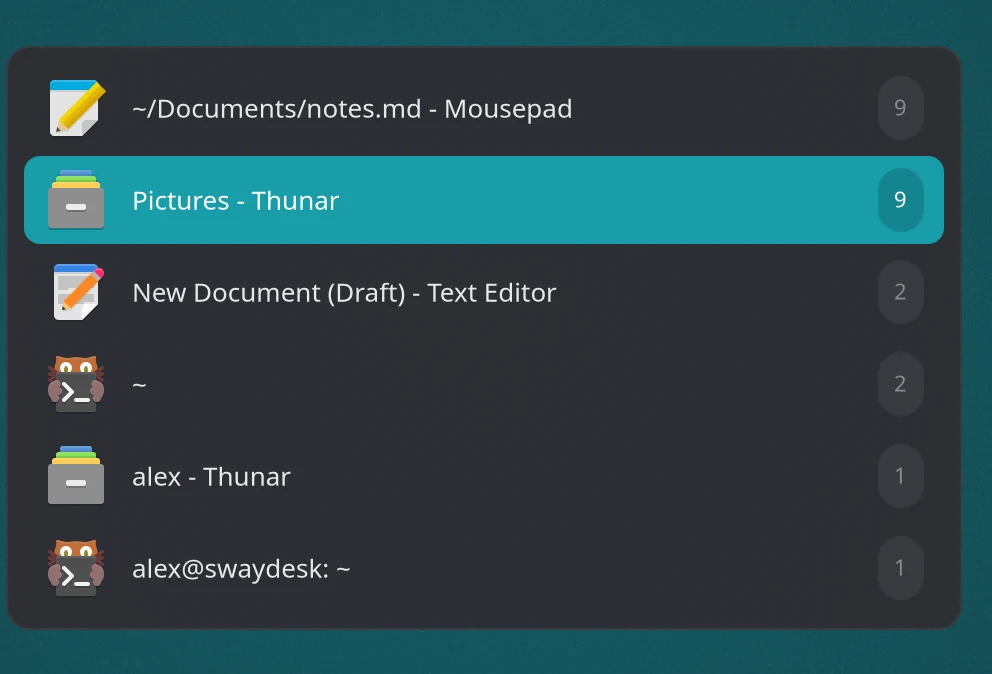
Only this component, without the full session. First add the Swaydesk repository, as on the page Install.
Debian 13
sudo apt install swaydesk-switcher
Ubuntu 26.04 · Mint 27
sudo apt install swaydesk-switcher
Arch Linux
sudo pacman -Syu swaydesk-switcher
Start it on plain Sway
In ~/.config/sway/config:
include /usr/share/swaydesk/sway/config.d/50-swaydesk-switcher.conf
Alt+Tab and Alt+Shift+Tab go through the windows in order of use, on every workspace.
It runs as a systemd user unit, restarted if it crashes, and does nothing inside the Swaydesk session. Put the include after your config's set $mod. Without a systemd user session, use the exec line in the file's last comment instead.
Shortcuts
Alt+Tab
Those of the Swaydesk profile, the default. The other profiles are in Shortcuts.