

Desktop Theme
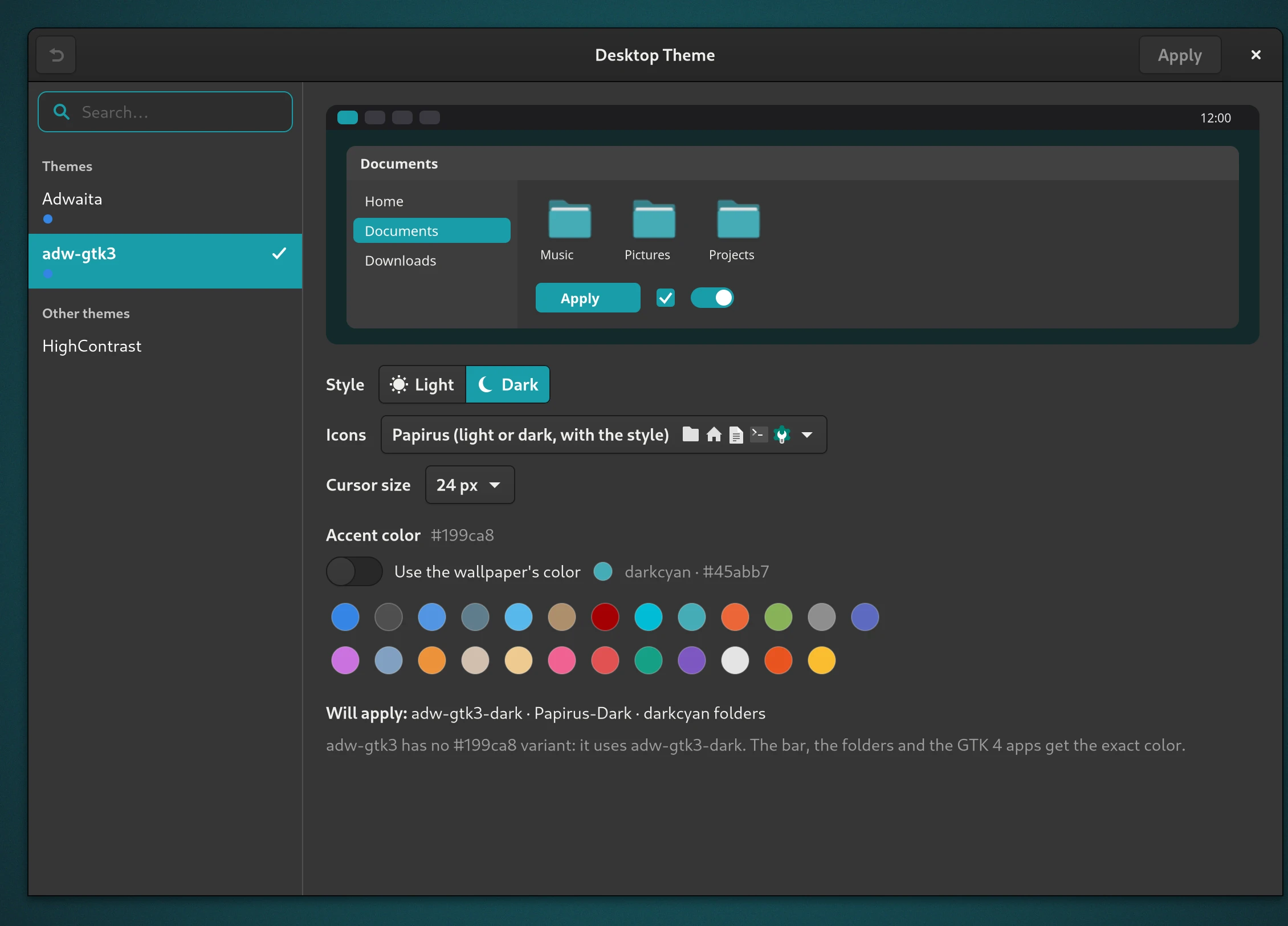
Picks the GTK theme, the icons, the accent color and the cursor size, and applies them all at once, GTK and libadwaita apps included. By default the accent color follows the wallpaper, the daily one included (Use the wallpaper’s color); picking a color yourself turns that off.
- Themes are grouped by family (Mint-Y, Mint-L, Mint-X, Adwaita, adw-gtk3, Yaru), then the others; typing filters the list.
- A click shows the theme in a live preview of the desktop; Apply,
Enteror a double click applies it. - Style: Light or Dark, with a note when a theme has only one of them.
- Icons lists the installed icon themes, each with a strip of sample icons.
- Cursor size offers the sizes the cursor theme has and applies at once, without Apply.
- Accent color swatches are the Papirus colors; with Papirus icons, the folders take the same color.
- Next to Use the wallpaper’s color, a dot shows the color it would pick now.
- Will apply: sums up the change before you apply it; Back to the theme in use drops the selection.
- When the chosen theme isn’t installed, the desktop uses adw-gtk3-dark, or Adwaita-dark without adw-gtk-theme.
- The accent color also reaches the switches, suggested buttons, checks, sliders and selected rows of the Swaydesk apps; a
~/.config/gtk-4.0/gtk.cssof your own still wins. - Open Swaydesk windows, this app included, switch between Light and Dark right away.
- The style in use, Light or Dark, is shown selected in the accent color.
It’s also in Settings, as the Appearance panel: the same page, without another window.